Introduction
Most website owners spend hundreds of dollars on premium SEO tools to find keywords. However, one of the most powerful keyword research tools available is completely free and already connected to your website: Google Search Console (GSC).
Instead of guessing what keywords you might rank for, GSC shows you exactly what terms real users type into Google to find your pages. In this guide, you will learn how to mine your performance reports to uncover “low-hanging fruit”—keywords that are already ranking on page two of Google and only need a tiny push to hit page one.
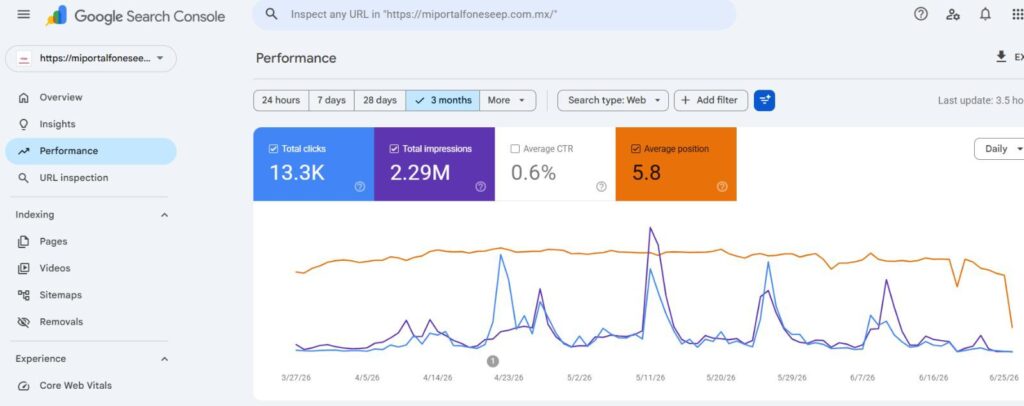
Understanding the Performance Report Metrics
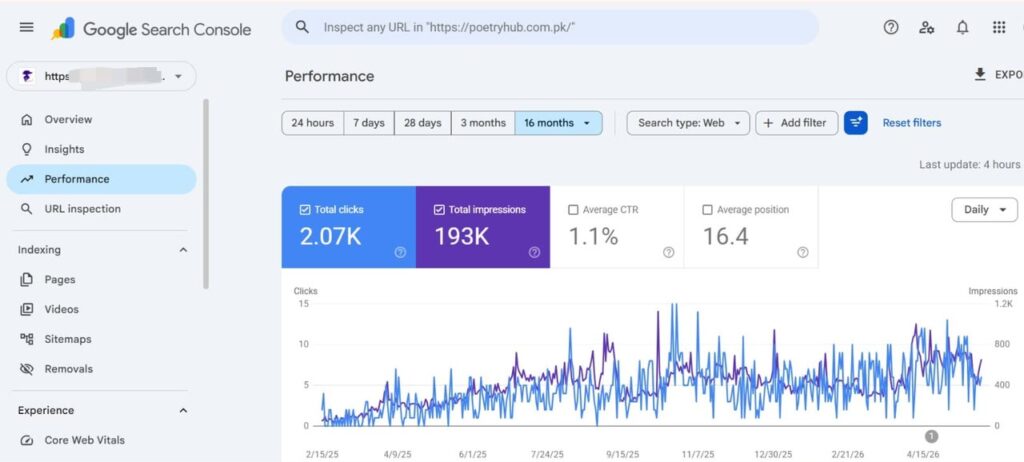
Before diving into the strategy, you must understand the four core metrics inside the Search Console Performance tab.
- Total Clicks: The number of times a user clicked through to your site from Google search results.
- Total Impressions: How many times a user saw your website link in search results, even if they did not click.
- Average CTR (Click-Through Rate): The percentage of impressions that resulted in a click.
- Average Position: The average ranking of your website for specific queries. A position of 1–10 means page one; 11–20 means page two.
Step-by-Step Guide to Finding Hidden SEO Gems
Step 1: Filter Your Performance Data
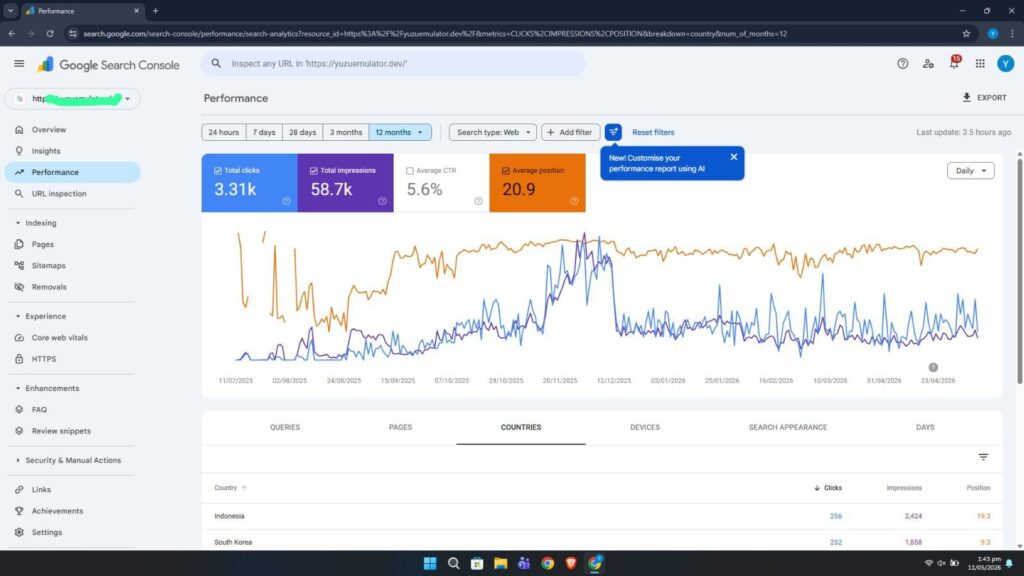
Log into your Google Search Console dashboard and click on Performance in the left-hand menu. Set your date range filter to the Last 3 Months. This gives you enough data to analyze without including outdated seasonal trends. Ensure you check all four metric boxes at the top so they display on the graph and table below.
Step 2: Sort by Impressions to Find High Volume
Scroll down to the data table and click on the Queries tab. Next, click the Impressions column header to sort the list from highest to lowest. Look for keywords that have a high number of impressions but a very low number of clicks. This gap indicates that a large volume of people are searching for this term, but they are passing right by your website.
Step 3: Identify Page Two Keywords (Positions 11–15)
Now, look at the Position column for those high-impression keywords. Find the terms where your average position is between 11 and 15.
A ranking of 11 means you are sitting at the very top of page two on Google. Users rarely look at page two, which is why your clicks are low. However, because Google already ranks you this high, it trusts your site for this topic. It will not take much effort to push these specific keywords onto page one.
Step 4: Locate the Matching Page
Click on one of the promising keywords you identified on page two. Then, switch from the Queries tab to the Pages tab directly above the table. Search Console will now show you the exact URL on your website that is ranking for that specific keyword.
How to Optimize Your Page to Push for Page One
Once you know the keyword and the page, you need to update your content to satisfy Google’s algorithm:
- Check for Intent Missing: Read your page. Did you actually answer the user’s question regarding that page-two keyword? If not, add a dedicated 200-word sub-section specifically addressing that sub-topic.
- Improve Title Tags: If natural, place the target keyword near the beginning of your SEO title and H2 headers.
- Add Internal Links: Find 2 or 3 other older articles on your WordPress site and add a link from them to this page, using the target keyword as the anchor text.
Conclusion
Unlocking organic traffic does not always require writing completely new content from scratch. By using Google Search Console to identify keywords currently stuck on page two, you can refresh existing articles and enjoy a rapid boost in rankings. Make it a habit to audit your GSC data once every month to keep your traffic growing consistently.