Introduction
You can write the most comprehensive, deeply researched article in your industry, but if your headline fails to capture attention, nobody will ever read it. In organic search results, your title tag is the primary hook that turns a casual browser into an active site visitor.
Google monitors how users interact with search listings. If your pages appear in search results but suffer from a low Click-Through Rate (CTR), your rankings can slide down the search results over time. In this guide, we will explore how online headline analyzers evaluate your text and how to use them to structure highly clickable page titles.
The Data Behind High-Converting Headlines
Headline evaluation tools operate on linguistic data and emotional psychology metrics. They break down your phrasing into specific word categories to forecast human engagement:
- Common Words: Basic structural building blocks (e.g., “how,” “to,” “your”) that keep sentences readable.
- Uncommon Words: Descriptive phrases (e.g., “more,” “awesome,” “world”) that add unique flavor and draw focus.
- Emotional Words: Strong vocabulary choices that stir a psychological reaction or curiosity in the reader.
- Power Words: Command words and action verbs (e.g., “proven,” “instant,” “secrets”) that prompt immediate user action.
Also Read: How to Use Plagiarism Checkers to Protect Your Site from Content Scraping
Step-by-Step Guide to Optimizing Your Titles
Step 1: Establish Your Core Search Intent
Before testing variations in an analyzer app, establish your primary keyword. Your primary target term must fit naturally within the headline—ideally near the absolute beginning of the string. This structure tells both human readers and search engine indexing bots exactly what your page is about.
Step 2: Test Layouts with Free Optimization Utilities
Open a free analyzer app such as the CoSchedule Headline Analyzer, Sharethrough, or the Advanced Marketing Institute EMV tool.
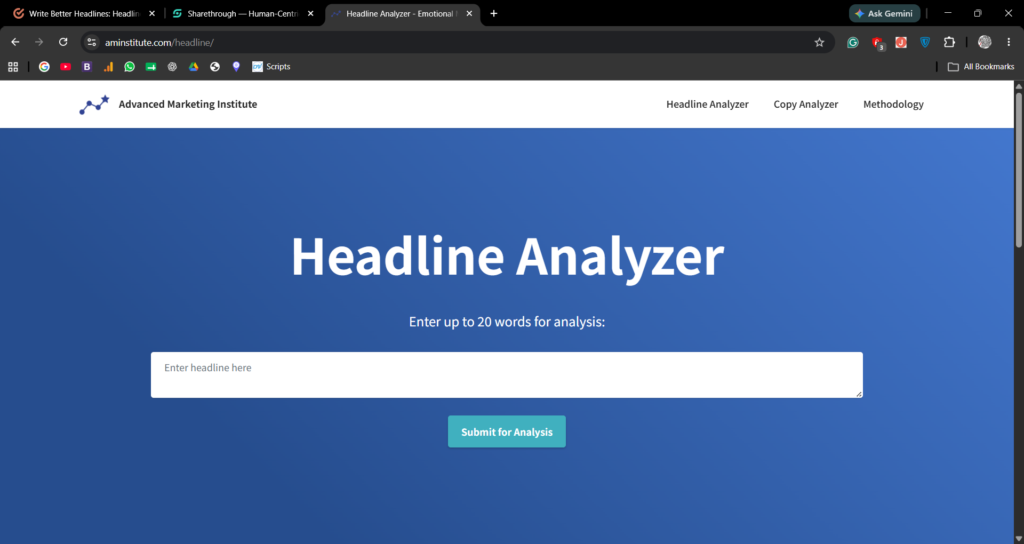
- Type your initial baseline headline into the tool’s evaluation box.
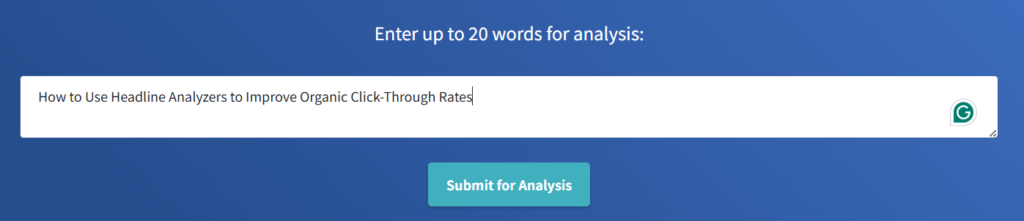
- Click analyze to generate your baseline score (aim for a target rating above 70).
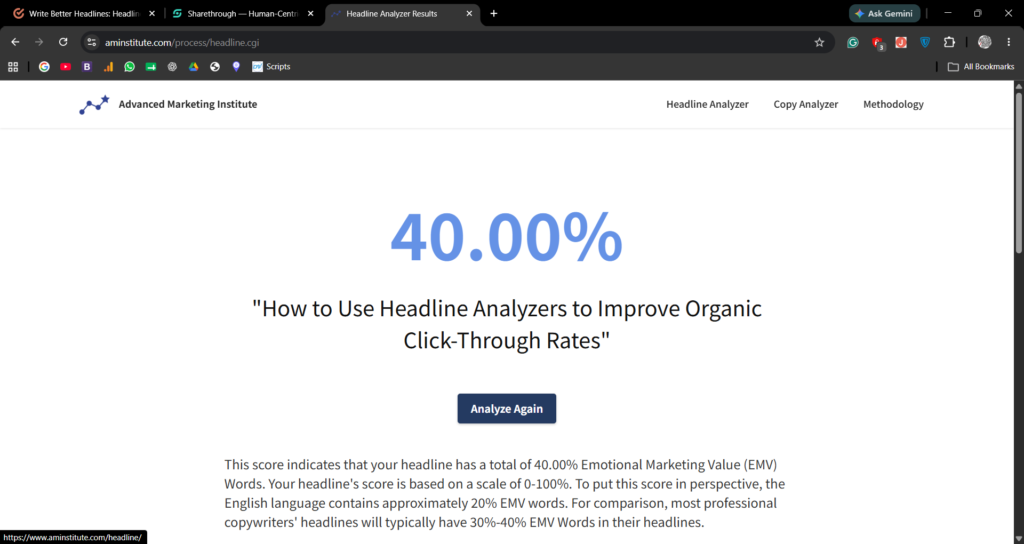
- Review the structural feedback panel. The utility will flag if your title layout is too short, too long, or lacking emotional resonance.
Step 3: Balance Length for Search Result Snippets
An eye-catching title is useless if Google cuts it off mid-sentence. Search result snippets are restricted by a pixel width boundary, which translates roughly to 50–60 characters. Headline utility systems display a visual mockup panel. Use this preview function to ensure your vital power terms do not get cut off by an ellipsis (…) on mobile viewports.
Three Pro Tips to Lift Your Title Performance Scores
You can systematically improve your scores across any analysis tool by adopting these simple optimization habits:
- Integrate Scannable Numbers: Headlines containing clear numbers (e.g., “5 Proven Ways” or “Step-by-Step”) earn significantly higher click engagement than abstract titles. Numbers provide a clear structural promise to readers.
- Address the Reader Directly: Utilize second-person pronouns like “You” or “Your.” This simple stylistic choice makes the content feel personally relevant to the searcher’s exact issue.
- Incorporate Brackets or Parentheses: Adding a clarifying tag at the end of your text (such as
[Step-by-Step Guide]or(Free Template)) breaks up text density and makes your search snippet pop visually on the page.
Conclusion
Writing headlines shouldn’t rely on guesswork. By using free analysis utilities to test, refine, and balance your titles for length and emotional weight, you can maximize your site’s organic click potential. Spend ten minutes analyzing your titles before every launch to make sure your articles earn the traffic volume they deserve.
Pingback: How to Use Keyword Density Checkers to Avoid Search Engine Over-Optimization - WWNTOOLS