Introduction
In the digital marketing ecosystem, search engine optimization relies heavily on establishing vote-like connections known as hyperlinks or backlinks. When an external portal links to your website, search engine algorithms interpret that connection as a vote of confidence in your content’s authority. However, not all link paths are beneficial to your platform’s standing.
If your domain accumulates thousands of low-quality, automated, or spammy incoming links from malicious networks, your overall ranking potential can suffer. This issue can trigger a manual or algorithmic link penalty, lowering your organic reach. This comprehensive, long-form guide explains how incoming links impact your site’s reputation and details how to run a complete backlink audit using free webmaster applications.
The Algorithmic Impact of Link Quality vs. Link Volume
Years ago, search indexing engines ranked websites primarily based on total incoming link volume. This simple calculation led to widespread manipulation, where site owners purchased millions of automated forum profile and blog comment links to artificially boost their rankings. To combat this manipulation, search engines updated their core processing frameworks.
Modern crawling engines prioritize the quality and contextual relevance of incoming connections over sheer volume. A single link from an established, trusted educational institution or an industry-leading resource passes infinitely more optimization value than thousands of automated links from unrelated platforms. When toxic or spammy domains point to your platform, search algorithms may assume you are trying to manipulate their systems, which can limit your organic visibility.
Common Sources of Toxic and Spammy Links
Understanding where toxic links originate helps you identify what needs to be removed during your clean-up process:
- Automated Scraper Portals: These sites automatically pull content via RSS feeds, copying entire articles alongside your internal linking structures.
- Low-Quality Link Directories: Outdated web directories that exist solely to host lists of unrelated outbound links without providing real value.
- Comment Spam Networks: Automated software scripts that drop generic comments containing link text into unsecured blog comment zones globally.
- Private Blog Networks (PBNs): Interconnected webs of expired domains built specifically to pass artificial ranking authority to a target commercial platform.
ALSO READ: How to Use Google Search Console to Find Low-Hanging Keyword Opportunities
Step-by-Step Guide to Auditing Your Profile for Free
Step 1: Extract Inbound Links via Google Search Console
The most accurate list of your recognized external links comes straight from your webmaster dashboard.
- Log into your Google Search Console command area.
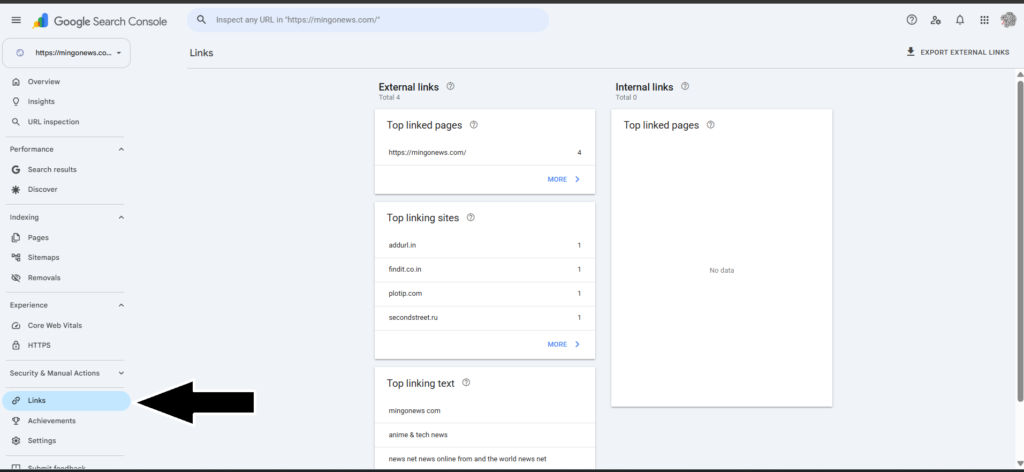
- Scroll to the lower section of the left sidebar menu and click on Links.
- Locate the table container labeled Top linking sites.
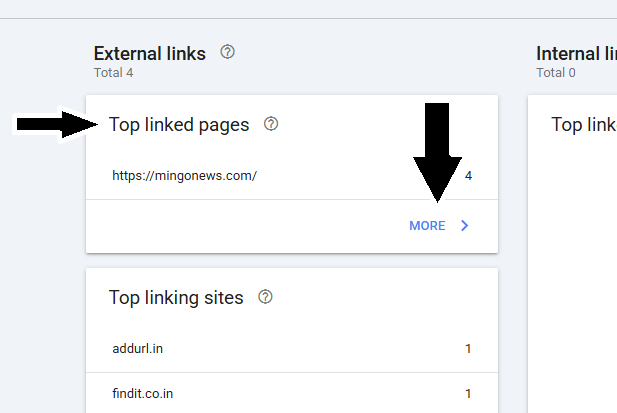
- Click the More button at the base of the list, then select Export More Samples to download your full referring domain history as a spreadsheet.
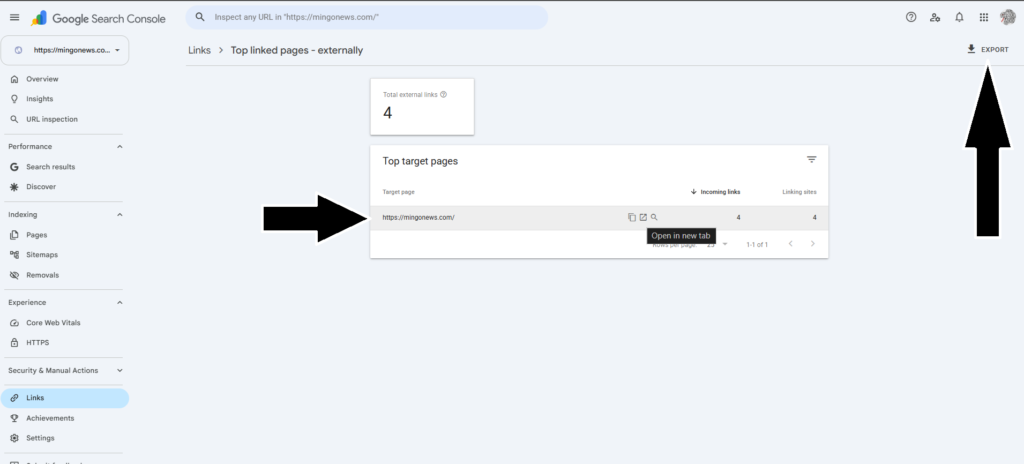
Step 2: Cross-Reference Domain Authority with Free Checkers
Google Search Console provides the raw URL list, but it does not display quality or spam risk metrics. To evaluate the health of your links, run your exported domain list through free authority analysis utilities:
- Open free link checker applications like Ahrefs Backlink Checker, Moz Link Explorer, or the Seobility Link Audit Tool.
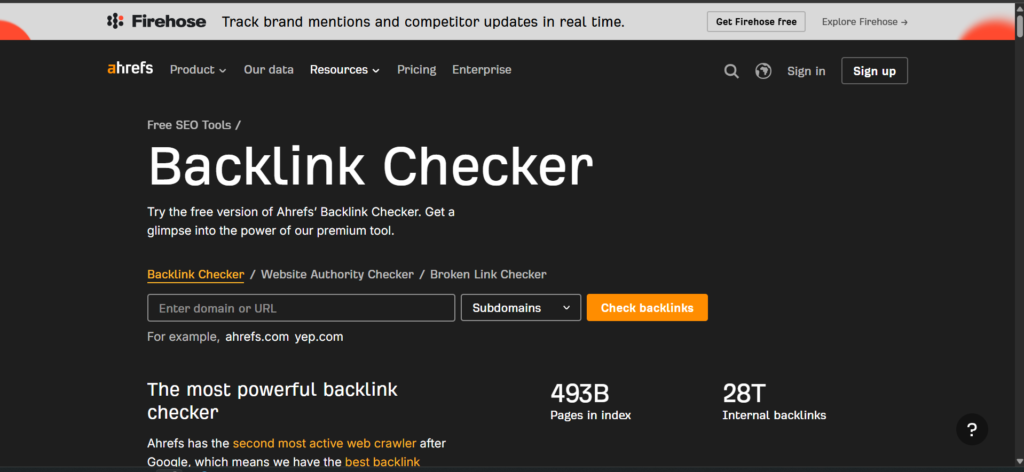
- Input the individual referring URLs from your spreadsheet into the audit field.
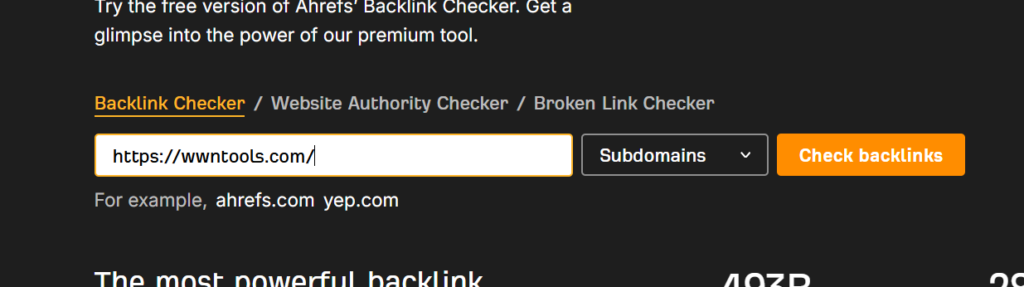
- Analyze the core quality scores, noting parameters like Domain Rating (DR), Spam Score percentages, and contextual anchor text strings.
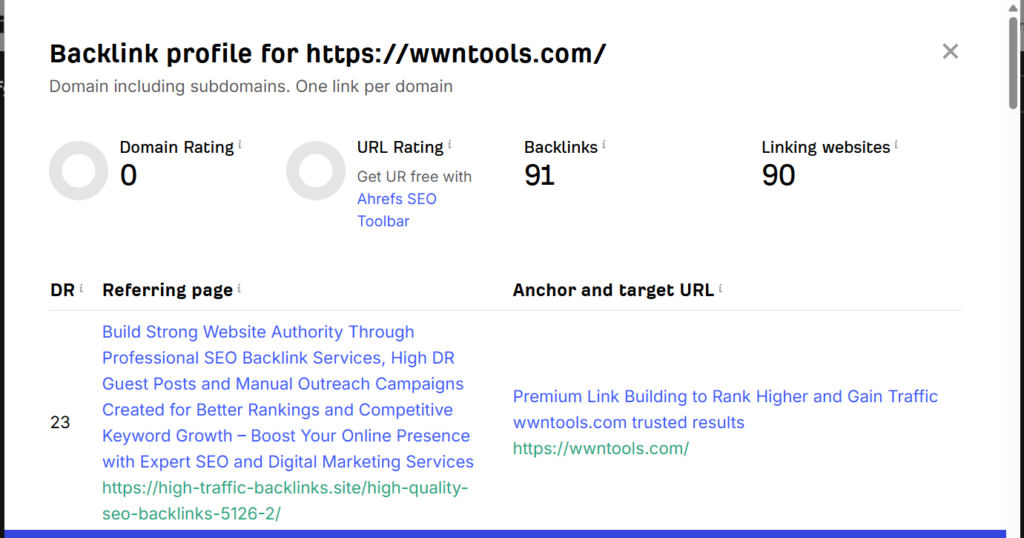
- Flag any domain that displays a suspiciously high spam rating or uses irrelevant anchor text patterns.
Step 3: Compile a Standard Disavow Text Document
If your audit reveals highly toxic incoming links that you cannot manually get removed by emailing the site owners, you must ask search engines to ignore them. Create a plain text file named exactly disavow.txt using a basic text editor. Format the file using these specific structural rules:
# Clear out automated scraper network domains
domain:scammy-website-one.com
domain:bot-traffic-generator-two.net
Listing the root domain with the domain: prefix tells search engine indexing bots to completely ignore every single incoming link originating from that network, protecting your site from negative SEO impacts.
Step 4: Submit Your File to Webmaster Tools
Once your text list is compiled and formatted correctly, you need to submit it to search engine systems.
- Navigate to the official Google Disavow Tool interface page.
- Select
wwntools.comfrom your verified properties dropdown menu.
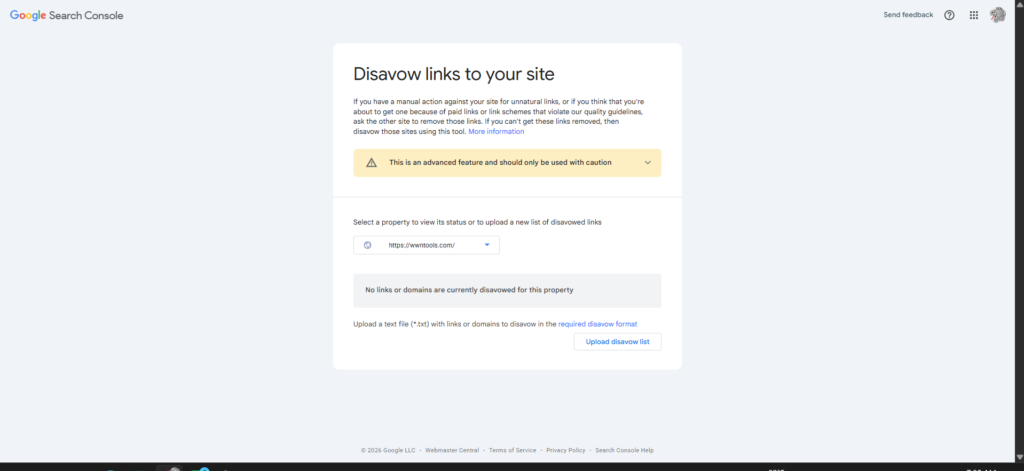
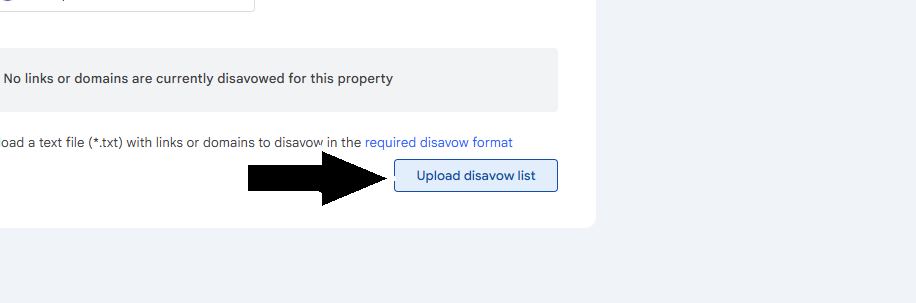
- Click the upload button, select your completed
disavow.txtfile from your desktop, and submit it. Google will process your instructions and ignore those specific link paths during its next organic crawl cycle.
Proactive Strategies to Build High-Quality Inbound Links
Instead of constantly cleaning up toxic data paths, focus on earning natural, authoritative editorial links that boost your visibility:
- Publish Original Data and Studies: Create deep-dive technical resources, complete with custom analytics screenshots. Other bloggers will naturally reference your data points and link back to your pages as the source.
- Develop Free Online Utilities: Building lightweight, functional interactive tools prompts webmasters across the web to share and link to your utility asset pages.
- Create Comprehensive Visual Frameworks: Design helpful, scannable diagrams or data flowcharts. Visual assets are highly shareable and frequently earn natural editorial links across industry blogs.
Conclusion
Maintaining clean link paths is essential for sustaining long-term search engine visibility. By running a quarterly backlink audit via search console dashboards, filtering out spam metrics with analysis software, and submitting disavow files, you protect your platform from algorithmic penalties. Keep your incoming link paths clean and authoritative to ensure steady organic traffic growth.